Your Remote Site Management Solution for Alarms, Monitoring & Control

Davicom's new generation of intelligent site management systems is designed to meet the most stringent requirements of the broadcast and wireless telecommunications industries. These best-in-class, stand-alone monitoring and control units interface easily with virtually any type of remote site equipment and sensors, thereby ensuring maximum flexibility and expandability.

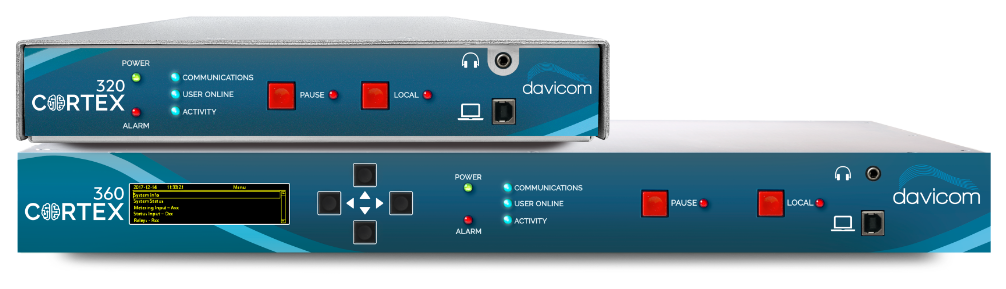
Davicom CORTEX-320 and Davicom CORTEX-360 remote telemetry units

Davicom Cortex 320 • Davicom Cortex 360

01 Intelligence on site

Let the Davicom CORTEX Unit be Your Brain at the Site

Decide & Control

Davicom Cortex units can make decisions based on Virtual Logic Gates, automating the control of equipment at the remote site. Based on the readings from the sensors it is connected to, the Davicom Cortex series units can control a broad range of equipment.

Sense Site Status & Environment

Connect multiple types of sensors to add environmental awareness to your Davicom Cortex. Low-cost and widely available MODBUS sensors can also be used.

360° Awareness

Manage your site through a standard dial-up modem connection, by DTMF/voice response or through a network connection. Get situational awareness on any device with the web-based interface or let the Davicom Cortex tell you what's potentially wrong at your site.

Listen & Recall

Davicom Cortex units can listen to your site audio and warn you of potential silence, or even relay live audio back to you via telephone or IP streaming. It is also capable of keeping track of all conditions and events that happen at your site.

Configure your Davicom CORTEX Start from the 320 or the 360 and add what goes with it.
02 Robust & Reliable . Made in Canada . High Standards

Engineered for Easy Expandability

Davicom CORTEX 360, front Davicom CORTEX 320, front
Davicom CORTEX Series

DAVICOM CORTEX 360

OLED DisplayEthernet SwitchOn-board USB hub DB-50 I/ODual Power SupplySerial Connection Phone Line
Get Started
Davicom CORTEX Series

DAVICOM CORTEX 320

Ethernet PortDB-25 I/O USB ×212 VDC Power Input
Get Started

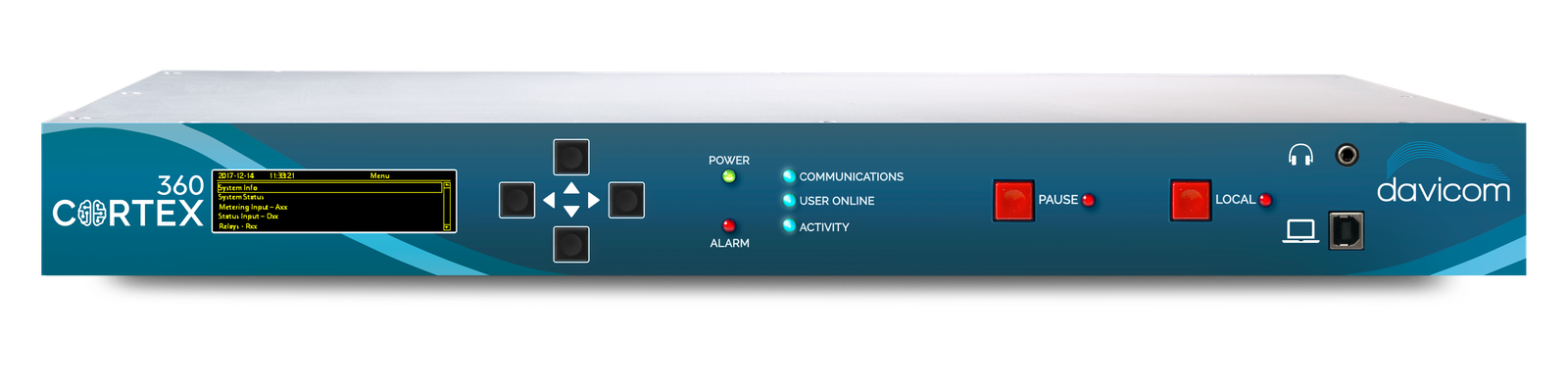
Davicom CORTEX 360

Davicom CORTEX 360, front Davicom CORTEX 360, back
OLED Display

Immediate access to alarms, I/O states & basic configurations

Health Indicator LEDs

Instantly assess site & unit status with the front panel LEDs.

PAUSE Button

Safeguard on-site personnel by blocking automation.

LOCAL Button

Safeguard on-site personnel by blocking remote access.

Audio Listening Jack

Access site audio from the front panel jack.

Menu Buttons

Convenient buttons let you navigate through the different menus.

Local Connection

USB connector for local connection to laptop computer.

Ethernet Switch

Connect to the outside world and/or to other onsite equipment.

On-board USB hub

Connect 4 USB devices (keyboard, mouse, memory stick or other Davicom products).

I/O Connectors

Connect all I/O's to the compact DB-50 connectors.

Audio Input/Output

Connect site audio to the line or mic input and feed the audio to an external mic input using line-out.

Serial Connection

Connect to legacy devices or to the outside world through this serial port.

Phone Line

Connect to the outside world via dial-up modem.

Power Failure Check

Monitor AC power at your site with the included wall-wart.

Dual Power Supply

Add redundancy by connecting two 10 to 30 VDC power supplies.

Download the Davicom Cortex Series Brochure

Go Ahead, It's Free!
Download Here

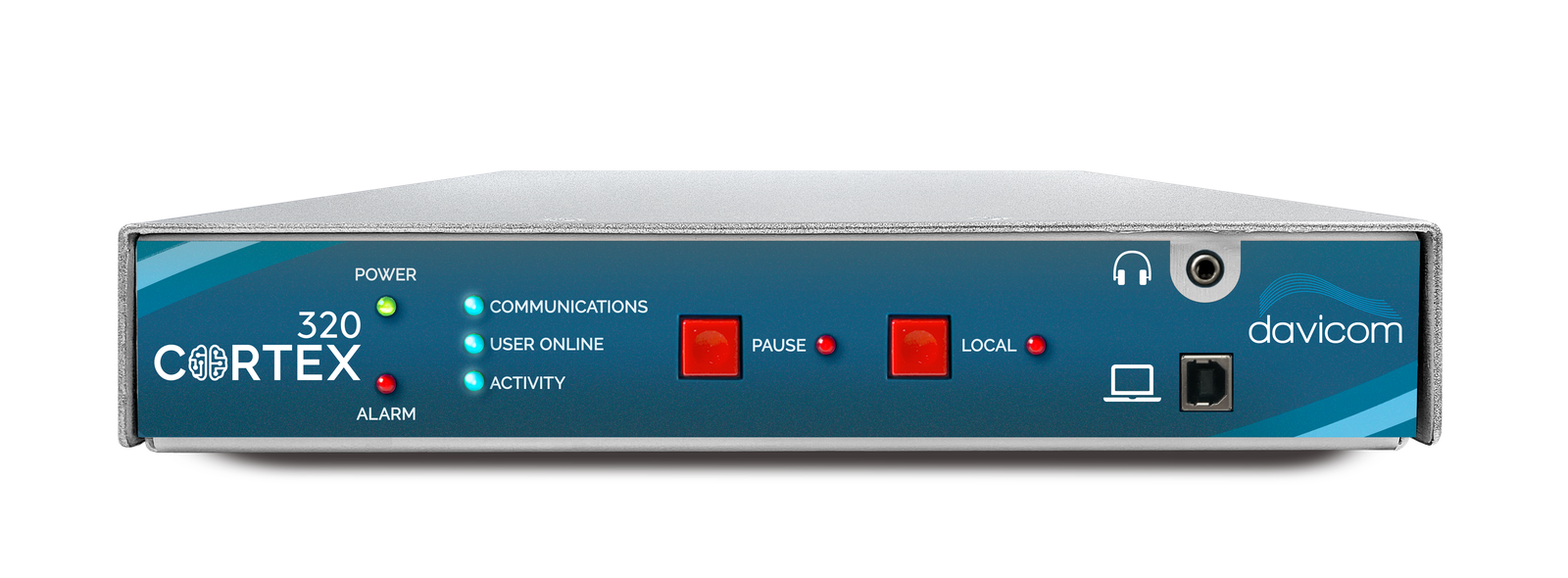
Davicom CORTEX 320

Davicom CORTEX 320, front Davicom CORTEX 320, back
Health Indicator LEDs

Instantly assess site & unit status with the front panel LEDs.

I/O Connectors

Connect all I/O's to the compact DB-25 connectors.

Ethernet Port

Connect to the outside world and/or to other onsite equipment.

Audio Input/Output

Connect site audio to the line-in or feed the audio to an external mic input.

USB

Connect up to 2 USB devices (Memory stick or other Davicom products).

Power input

12 VDC for easy battery backup.

Download the Davicom Cortex Series Brochure

Go Ahead, It's Free!
Download Here
03 Analog . Status . Relays . Audio . Modbus . SNMP

Connecting Everything at Your Site

Connect Any Type of Analog or Status Sensor

Directly connect analog sensors, status sensors and audio feeds. No extra boards to buy!

Thanks to its flexible input circuits, the Davicom Cortex can connect to almost any type of analog sensor. Sensors with various voltage outputs (0-1, 5, 10 …80V), current outputs (4-20mA), be they bipolar or differential can all be connected.

Audio or AC signals can be connected and levels measured thanks to built-in RMS detection circuits.

Digital inputs are also available for reading logic levels, relay contacts or statuses, with programmable active high or active low settings.

Analog and status sensors: camera, door contact, humidity and temperature probes
Control & Automation

Design Automation Without a Single Line of Code!

With its relay outputs, the Davicom Cortex can command and control other equipment. From remotely switching to a backup transmitter to turning on the generator when a power outage occurs, the Davicom Cortex can take smart decisions to keep your site transmitting.

Davicom Cortex systems also provide automation with decision-making features and commands that go well beyond conventional telemetry systems. Units can for example detect an RF failure; place the standby transmitter on-air to restore the signal, and alert on-call personnel. Engineering staff can then diagnose the problem from the event history log and, using remote measurements, decide on the appropriate course of action.

The Cortex logic toolbox: Virtual Logic Gates, Math Functions, Schedulers, Virtual Relays, Activity Timers and Up/Down Counters
SNMP Appliance

Simple Network Management Protocol (SNMP)

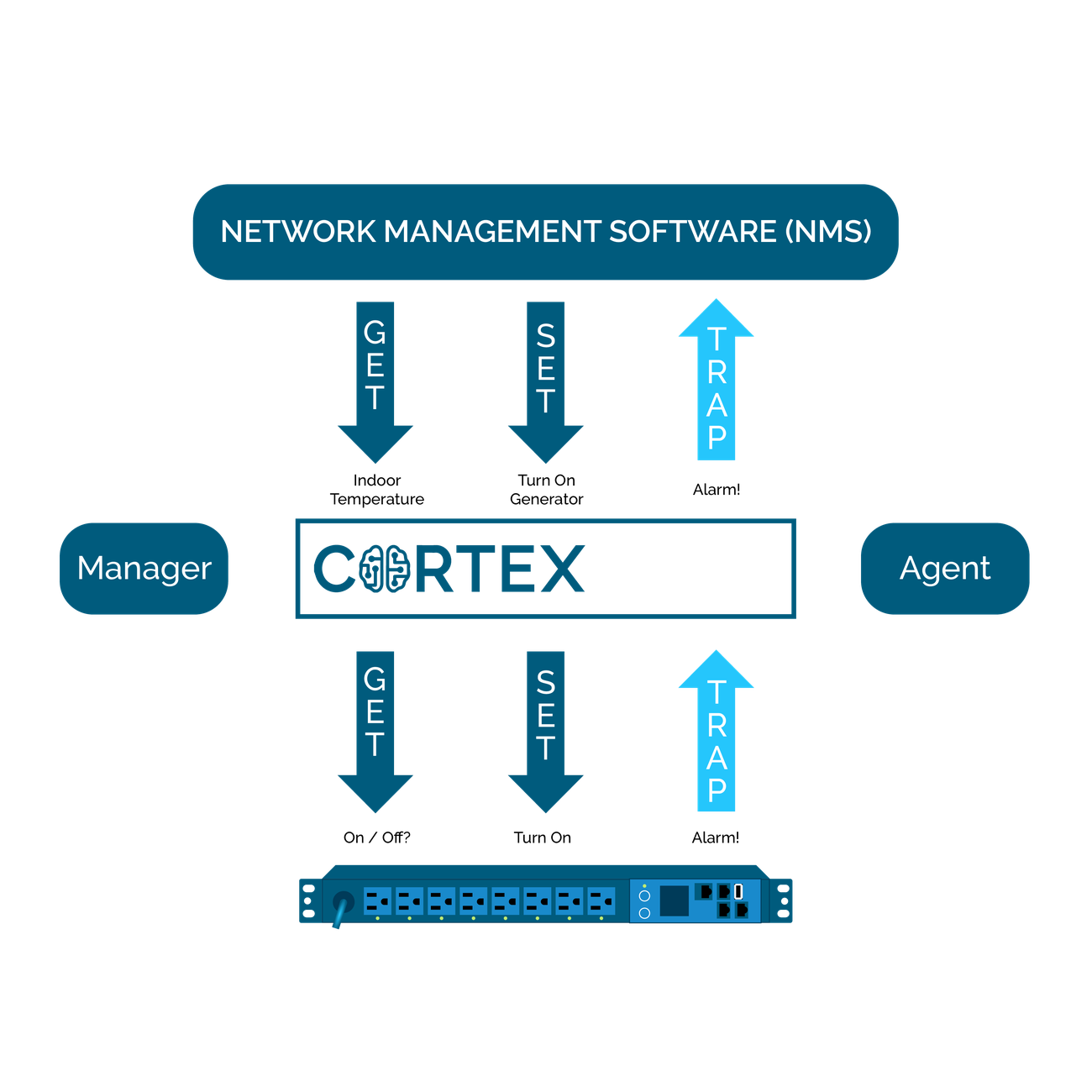
With their SNMP Agents and built-in SNMP Managers, Davicom's Cortex units are powerful SNMP appliances.

The Agent can convert analog readings or contact closures from legacy equipment into SNMP-compatible OID's that can be sent to, or read by an external SNMP Manager software.

The Davicom Cortex's Manager can take readings, make settings and receive alarms from other, on-site SNMP-compatible devices. Depending on the situation, it can then take action locally, or even concentrate the information from all the devices and pass it along to a remote SNMP Manager at the Networks Operations Center (NOC).

The Cortex as SNMP appliance between site equipment and the network management software
Networking

Use network PINGs to debug your network

Today, IP networking has become the nervous system of most organizations, including at remote sites. Davicom's Cortex units can monitor the health of your on-site IP LAN to ensure everything is interconnected and communicating as it should be. The Davicom Cortex's built-in Pings can check on the network status of connected devices as well as validate that remote WAN backhaul connections are operating correctly. By strategically addressing different Ping commands, the Davicom Cortex unit can analyze and determine which specific network branch or device is down. It can then use its virtual logic and built-in relays, or SNMP SET commands to individually, and automatically, reset site equipment, routers, switches or gateways.

Incorporating its own 4-port network switch, the Davicom Cortex360 can easily connect to other IP devices, and keep these connections alive should the site's main utility power fail.

Ping checks from the Davicom CORTEX across the site network, one branch failing
04 Workspaces

Complete Web-Based Interface

The Davicom Cortex series' web-based workspaces are completely customizable by the user. In addition, each user can have different workspaces for multiple devices (smartphone, tablet or PC). These workspaces have the advantage of being stored directly on the Davicom Cortex unit itself, thereby ensuring a uniform look when being accessed by different users. For low-bandwidth communication links, workspaces may also be stored on, and accessed from, your personal computer by using our DavLink software.

DV-200 (2nd Gen)

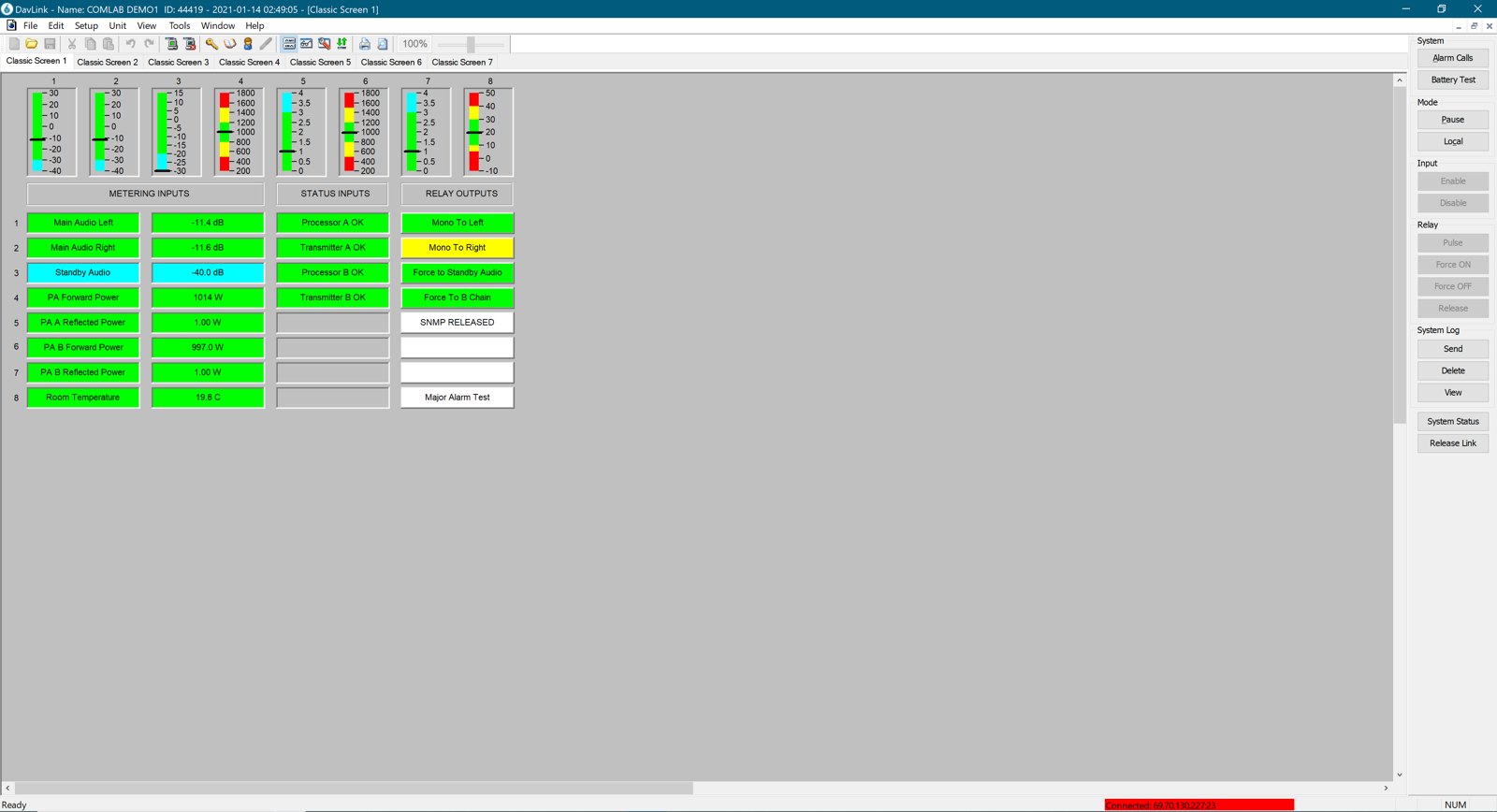
DV-200 Workspaces use a proprietary format (not web-based) and are loaded from the user's PC with the DavLink software. Graphic creation and edition are possible within DavLink, which, by the way, will only run on Windows-based computers.

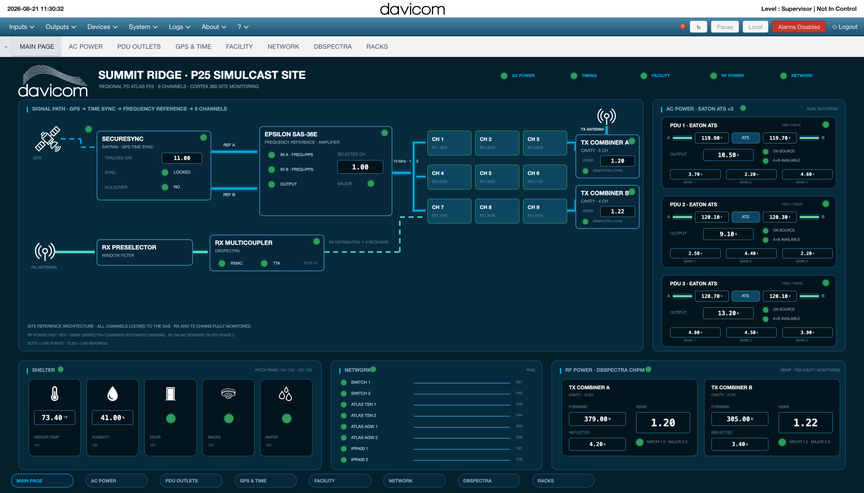
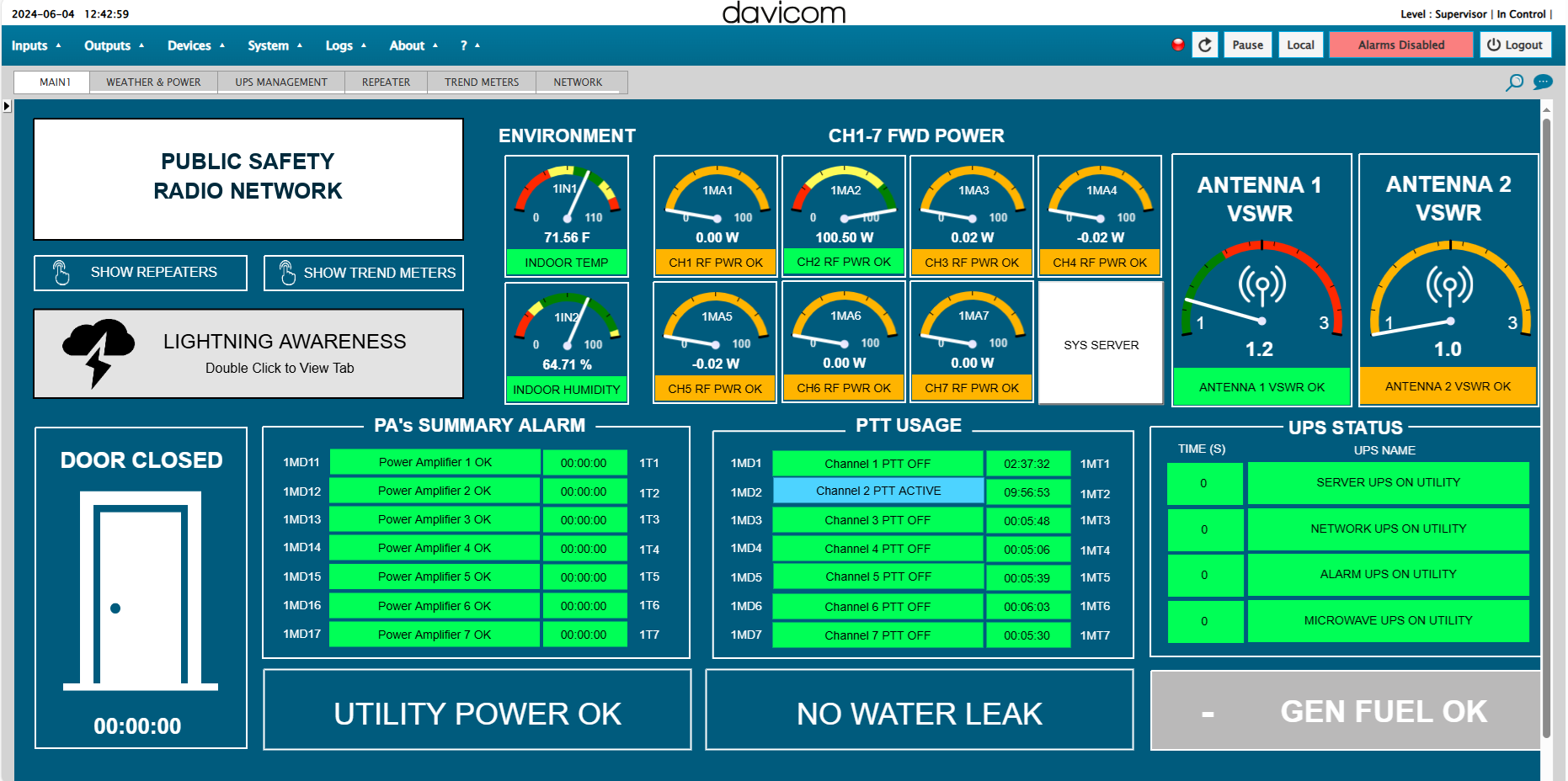
A Davicom CORTEX HTML5 workspace: a nine-channel P25 simulcast site on one page A DV-200 workspace in the DavLink Windows software
DV-200 . DavLink Davicom Cortex . HTML5

Davicom Cortex Series (3rd Gen)

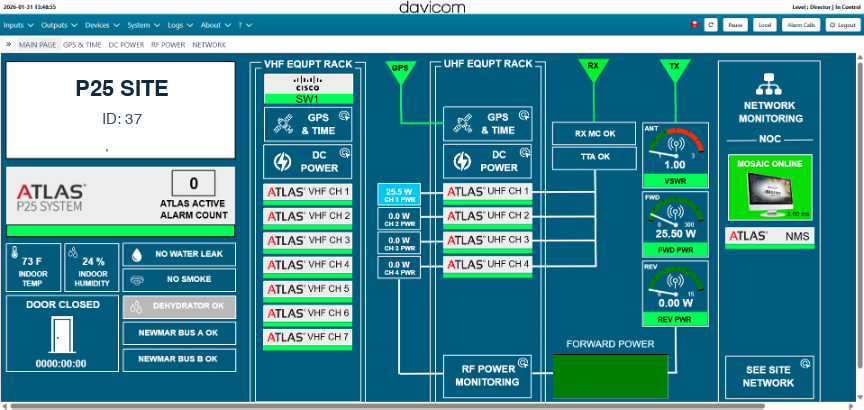
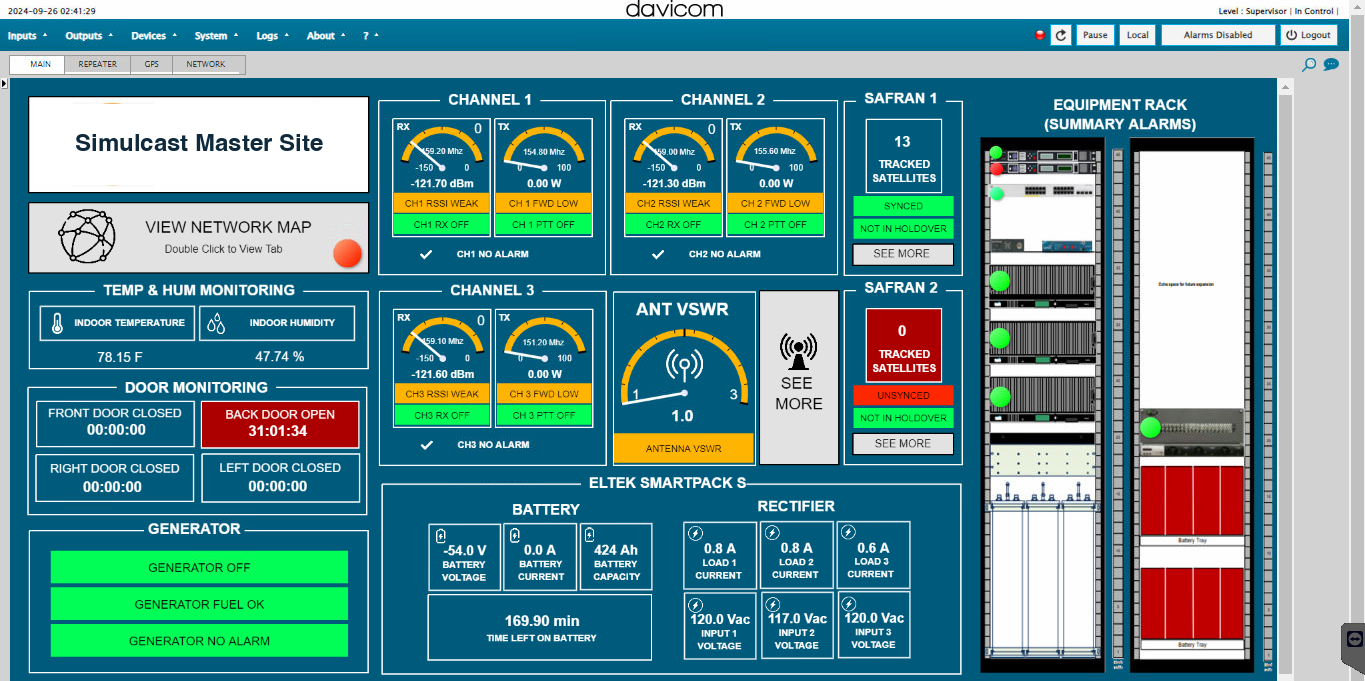
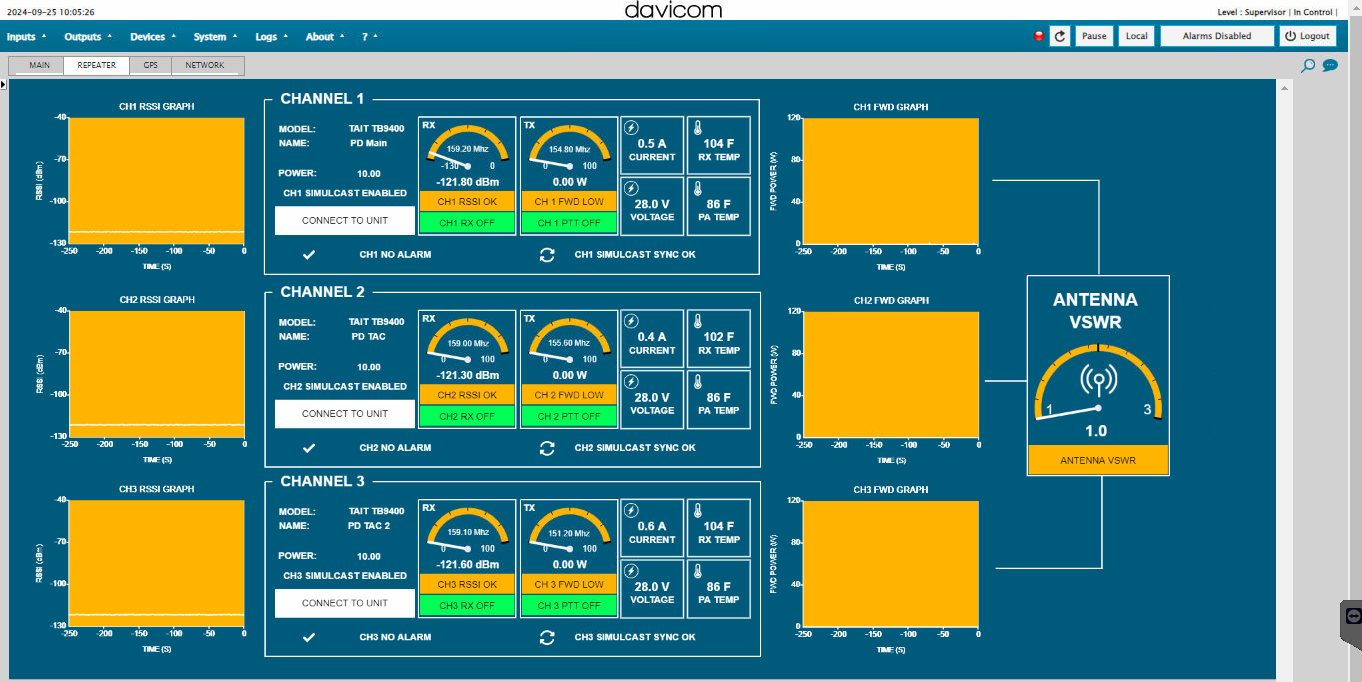
Davicom Cortex Workspaces use a flexible HTML-5 format that can be interpreted by most web browsers, thereby greatly facilitating their management and use. Graphic creation and edition tools are built-in to the web interface and provide unmatched flexibility in GUI design on multiple platforms.

Since an image is worth a thousand words, the Davicom Cortex's customizable GUI will help you, your system operators and technicians to quickly understand the situation at the remote site. Based on the powerful HTML5 suite, these GUI's (or Workspaces) are customized with the Davicom Cortex's user-friendly workspace development and edition tools.

05 Made Your Choice? Ready to Order Your Unit?
Davicom AXON smart I/O modules
Need something smaller?

Smart I/O Modules with Web, SNMP & Modbus

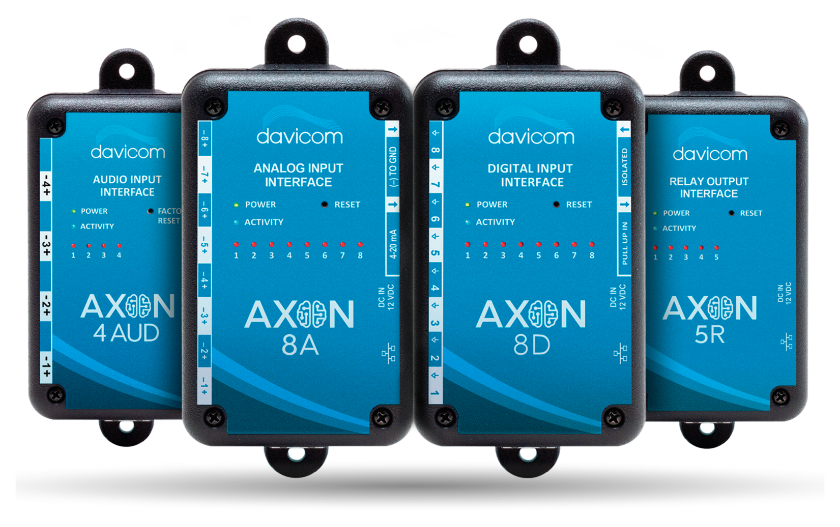
Davicom introduces new smart I/O modules specifically designed for smaller remote telemetry applications. They provide users with autonomous devices for alarm, monitoring & automation functionalities at a very competitive price. Thanks to their SNMP agents, these products are the perfect remote telemetry companions to report to any SNMP Manager, including the Davicom Cortex Series. Moreover, their HTML5 web-based interfaces provide an easy-to-operate environment for visualization and configuration of the units. Choose between the AXON-8A, 8D or 5R

Learn More
Davicom NEURO, front view
Need more I/O?

Combine up to 5 AXON I/O Modules to Create an RTU that has up to 45 Configuration Possibilities

The NEURO combines up to 5 AXON I/O cards into a single unit to give you even more I/O configuration flexibility. For example, a NEURO could be set up with 16 Analog inputs, 16 Digital inputs, and 10 Relay outputs, or simply have a digital-only configuration with 40 Digital inputs. The NEURO also comes with a serial I/O interface to send alarms to radios or commands to a Davicom CORTEX SERIES unit.

Learn More
06 Contact

Ready for the next step?

Our qualified team is ready to help!

Get in Touch

Ready for the next step? Schedule a call or demo with a member of our sales team or quickly and easily request a quote.

Get started

Support Portal

Find solutions and useful resources like articles, downloadable datasheets, manuals, software, workspaces and more.

See more

Find a Dealer

Find a Davicom authorized dealer. Our dealer locator provides the most up-to-date information on dealers close to you.

Find a dealer